
12 Website Design Mistakes That Hurt SEO (And How to Fix Them) Part – 1
Your website design isn’t just about looking good — it directly affects your search engine rankings, traffic, and conversions. Many businesses invest in websites but fail to see results because of poor SEO structure. A professional website built by experts in website design and development ensures your site is optimized for performance, user experience, and search rankings.
If your website isn’t ranking, professional SEO services for business growth can help identify and fix technical and structural issues.
In this article, we’ll explore the most common website design mistakes that hurt SEO — and exactly how to fix them.
1. Slow Website Loading Speed
Why it hurts SEO
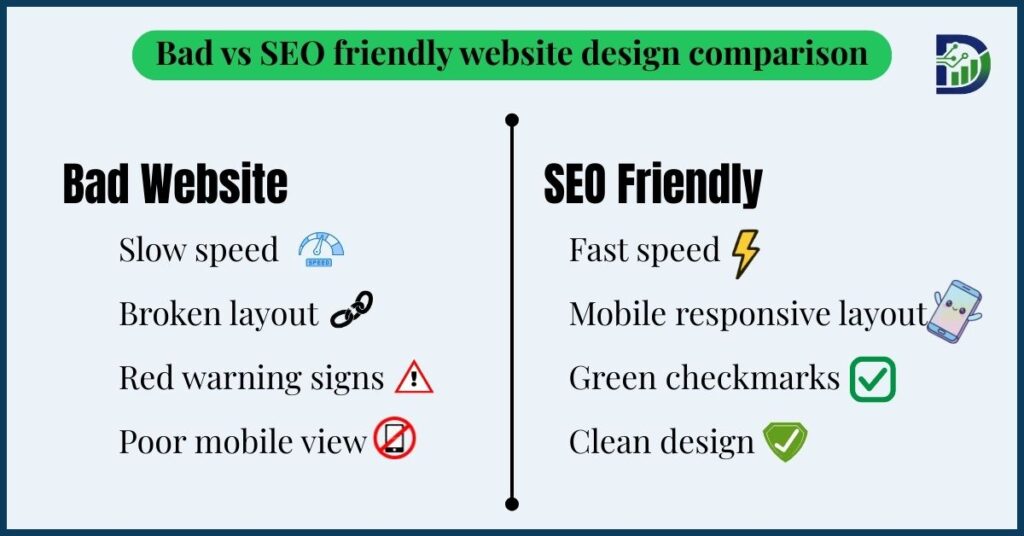
Page speed is a major ranking factor. Slow websites frustrate users and increase bounce rates, which negatively impacts rankings.
Research shows that if your website takes more than 3 seconds to load, over 50% of visitors leave.
Our website design development services ensure fast loading speed, optimized images, and performance-focused structure.
Common causes
- Large, uncompressed images
- Poor hosting
- Too many plugins
- Heavy animations
- Unoptimized code

How to fix it
- Compress images using WebP format
- Use fast hosting
- Enable browser caching
- Minimize CSS, JavaScript, and HTML
- Use a CDN (Content Delivery Network)
Goal: Load your website in under 2 seconds.
2. Not Mobile-Friendly (Responsive Design Issues)
Why it hurts SEO
Google uses mobile-first indexing, meaning it primarily evaluates the mobile version of your site.
If your website doesn’t work well on mobile, your rankings will suffer.
Common problems
- Text too small to read
- Buttons too close together
- Content wider than screen
- Broken layouts on mobile

How to fix it
- Use responsive web design services
- Test on multiple devices
- Use mobile-friendly fonts and button sizes
- Avoid fixed-width layouts
3. Poor Website Navigation Structure
Why it hurts SEO
Search engines and users need clear navigation to understand your website structure.
Bad navigation makes it harder for search engines to crawl and index your pages.
Common mistakes
- Too many menu items
- Confusing structure
- Hidden pages
- No clear hierarchy

How to fix it
Use a simple SEO services structure like:
- Home
- Services
- About
- Blog
- Contact
Keep everything within 3 clicks from the homepage.
4. Missing or Poor Heading Structure (H1, H2, H3)
Why it hurts SEO
Headings help search engines understand your content.
If your pages don’t use proper heading tags, your SEO will suffer. Here is the best SEO Practices that increase your visibility
How to fix it
Use headings properly:
- H1: Main title (only one per page)
- H2: Main sections
- H3: Subsections
Example:
H1: Website Design Services
H2: Our SEO Services
H3: Step 1 – Research
5. Using Too Many Large Images Without Optimization
Why it hurts SEO
Large images slow down your website and reduce performance and Following a proper on-page SEO checklist ensures your image optimization structure supports rankings and improves crawlability..
How to fix it
- Compress images before uploading
- Use WebP format
- Add image alt text
- Use lazy loading
Alt text also helps your images rank in search results. SEO beginner guide helps you to improve your rankings.
6. No SEO-Friendly URL Structure
Bad URL example:
digitaara.in/page?id=123
Good URL example:
digitaara.in/website-design-services
Why it hurts SEO
Search engines and users prefer clear, descriptive URLs.
How to fix it
Use URLs that include keywords and describe the page content.
Click here to Website Design Mistakes That Hurt SEO (And How to Fix Them) Part – 2
Related Articles
- On-Page SEO Checklist 2026
https://digitaara.in/on-page-seo-checklist-2026/ - What is SEO? Beginner Guide for Indian Businesses
https://digitaara.in/what-is-seo-beginners-guide-indian-businesses/ - Local SEO in India: Complete Guide
https://digitaara.in/local-seo-in-india/ - AI Transforming Digital Marketing in India
https://digitaara.in/ai-transforming-digital-marketing-india/ - Digital Marketing Trends India 2026
https://digitaara.in/digital-marketing-trends-india-2026/



2 Comments